
%22%3E%3Cpath d=%22M0 0v30h60V0z%22 fill=%22%23012169%22/%3E%3Cpath d=%22M0 0l60 30m0-30L0 30%22 stroke=%22%23fff%22 stroke-width=%226%22/%3E%3Cpath d=%22M0 0l60 30m0-30L0 30%22 stroke=%22%23C8102E%22 stroke-width=%222%22/%3E%3Cpath d=%22M30 0v30M0 15h60%22 stroke=%22%23fff%22 stroke-width=%2210%22/%3E%3Cpath d=%22M30 0v30M0 15h60%22 stroke=%22%23C8102E%22 stroke-width=%226%22/%3E%3C/g%3E%3C/svg%3E) English
 Português
AI Agent Builder
Agents for complex processes, with robots as their hands
Design AI agents on a visual canvas or in Python, connect them to your data through MCP, run them on local or cloud LLMs — and let RPA robots carry out the actions in systems that have no API.
Capabilities
Everything an enterprise agent needs
From a quick prototype on the canvas to a governed agent running next to your robots in production.
Low-code visual designer
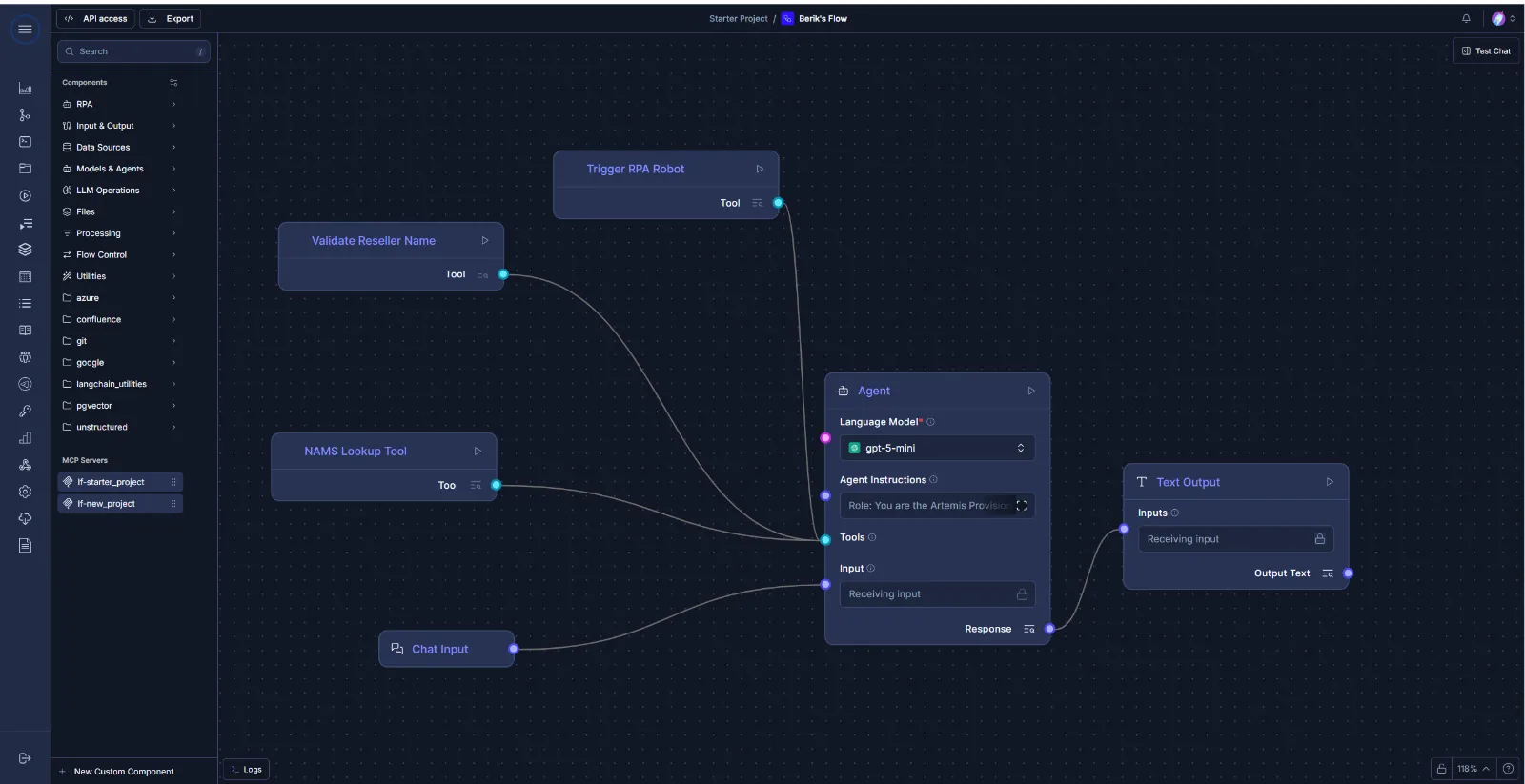
Drag-and-drop agent logic graphs: prompts, tools, branches and memory on one canvas.
Custom Python nodes
Extend agents with your own code and any Python library — the same language your robots use.
Native MCP support
Connect databases, APIs and file systems through the Model Context Protocol.
Multi-model orchestration
Hot-swap local and cloud LLMs within one workflow — per step, per policy, per cost.
Memory
Short- and long-term context across complex, multi-step sessions.
Bidirectional RPA
Agents trigger robots, and robots call agents — so decisions turn into actions in systems without an API.
Enterprise orchestration
Manual control, monitoring and scheduling in the same Orchestrator that runs your robots.
On-premise LLMs
Run agents fully inside your perimeter on local models, or use cloud LLMs only where your policy allows.
Why it matters
LLM-only agents stop at the edge of your core systems
Most agent platforms can reason, but can’t act in core banking, SAP or a desktop app without an API. On Python RPA the agent decides and the robot executes — with logs, permissions and human review where it matters.
Agent + robot, one flow
- TriggerAn email with a document package arrives
- IDPDocuments are classified and fields extracted with confidence scores
- AgentChecks completeness against policy and decides the next step
- RobotPosts approved data to core banking and updates the CRM
- HumanReviews only exceptions and low-confidence fields
Use cases
Where agents pay off first
Credit pre-checks
Read the application package, check it against lending policy, flag gaps and draft the request for missing documents.
Claims triage
Classify incoming claims, extract key facts, route to the right queue and prepare the case for the handler.
Customer requests
Understand the request, look up account data through robots and reply or escalate with full context.
FAQ
AI Agent Builder questions
Which LLMs can agents use?
How do agents act in systems without an API?
Can engineers extend agents with code?
How are agents monitored?
Next step
See an agent and a robot work on one of your processes
We stand up the platform in your environment, build one real process together with your team and run it end to end on your data.
- 01 Pick a process with a clear business outcome
- 02 We stand up the platform in your environment
- 03 See it run end to end on your data